
Barcode billing
Barcode billing software for supermarkets.
What it does
What happens when you scan.
Scan, and the line is done
The item, its price and its GST come up on the bill. Bill from a PC counter or a phone.
One barcode, two MRPs
When old and new packs share a barcode, the scan shows each MRP with its stock and selling price. The cashier picks the one printed on the pack with the arrow keys and Enter, or a number key.
Old and new stock kept apart
When the MRP changes, MarCat asks: keep both prices or replace. Keep both, and each MRP keeps its own stock.
Loose items, no barcode needed
Loose dal or sugar is billed straight from the counter in decimals, like 0.5 kg.
Labels from your item list
Pick items and print labels with name, barcode and selling price. 13-digit codes print as EAN-13.
Every counter scans the same list
Two or three counters bill at once from one item list and one stock.
Price
Starter ₹7,999, Growth ₹9,999 or Pro ₹14,999, + GST per store, per year. Every plan has every feature. Bill in your store for 14 days before you pay.
Getting it right
When a scan goes wrong, it is one of three things.
Every store meets all three. The fix is different for each, so find out which one you have first.
- 01
The same item comes up with two MRPs
Old and new MRP packs share a barcode. This is normal. Bill the MRP printed on the pack.
- 02
A different flavour, size or product comes up
Two products share one code in your item list. Remove the line, bill the right item by name, and set the pack aside for the owner to fix the item list.
- 03
Nothing comes up
The pack has no barcode, or its code is not in your item list. Add the item, or give it a store code and a label.
Read: same barcode on two different products, and how to fix it
Barcode guides
Every barcode job at the counter, one guide each.
Written for owners and cashiers who want to fix it today, with or without new software.
- Fix two products on one barcode
Find every clash in your item list with one Excel column.
- Bill old and new MRP packs right
Same barcode, two prices, the right one on every bill.
- Print MRP stickers with a barcode
Store codes, label sizes and what a repacked pack must show.
- Buy and test a scanner and printer
1D or 2D, 2 inch or 3 inch, and a counter test.
- Bill loose items that have no barcode
Decimal quantities and units that keep stock right.
- Run several counters on one item list
One list, one stock, a shift close for each.
Before you go live
Get your barcodes in order before the first busy evening.
Export your item list with barcodes
Item name, barcode, pack size, MRP. This is the list you bill from, so check it before anything else.
Find the items with no code
Repacked dal and sugar, local namkeen, dry fruits you seal yourself. Each one needs a code before you go live, or the cashier types names in the rush.
Pick a store code series that no brand uses
Codes starting with 890 are given by GS1 India to registered brands. A made-up 890 number can clash with a real product the day it arrives.
One code per item, per pack size
500 g and 1 kg toor dal are two items with two codes. Sort the list by barcode and look for any code that appears twice.
Print one label and scan it
Print at 100% scale, stick it flat on a pack, and scan it at the counter before you print fifty.
Read: MRP sticker with barcode, for loose and repacked items
Labels
Barcode labels from your item list.
Pick the items, pick the label size, print. The price on the label comes from the same list the counter bills from.
| Label | Across | Good for |
|---|---|---|
| 50 x 30 mm roll | 2 | Most packs |
| 50 x 25 mm roll | 2 | Slimmer packs |
| 38 x 25 mm roll | 3 | Small packets |
| A4 sheet | 3 | A few labels at a time |
Only items that already have a barcode in your item list get a label. You type the code in the item list; MarCat does not make up codes, so you choose your store series.
The label shows the item name, barcode and selling price. It is a counter label, not the full MRP and packer declaration that a pack you fill yourself must carry.
The scanner
Any counter needs a scanner that reads your own shelf.
1D or 2D
A 1D scanner reads the line barcodes on packs. A 2D scanner also reads QR codes, and usually copes better with curved, shiny or crumpled codes. If the price gap is small, a 2D is the safer buy for a busy counter.
The keyboard test
Most USB scanners type the code and press Enter, like a keyboard. Plug it in, open any text box and scan: the full code should appear and the cursor should move on.
The shelf test
Scan a curved pack, a shiny chips packet, a code under shrink wrap and a label you printed yourself. Count the second tries.
Not in any plan
MarCat is software. The scanner, bill printer and label printer are bought from any shop; we help you check they work.
Read: barcode scanner and printer for a supermarket, what to buy and test
Why it is different
Built at a real supermarket counter.
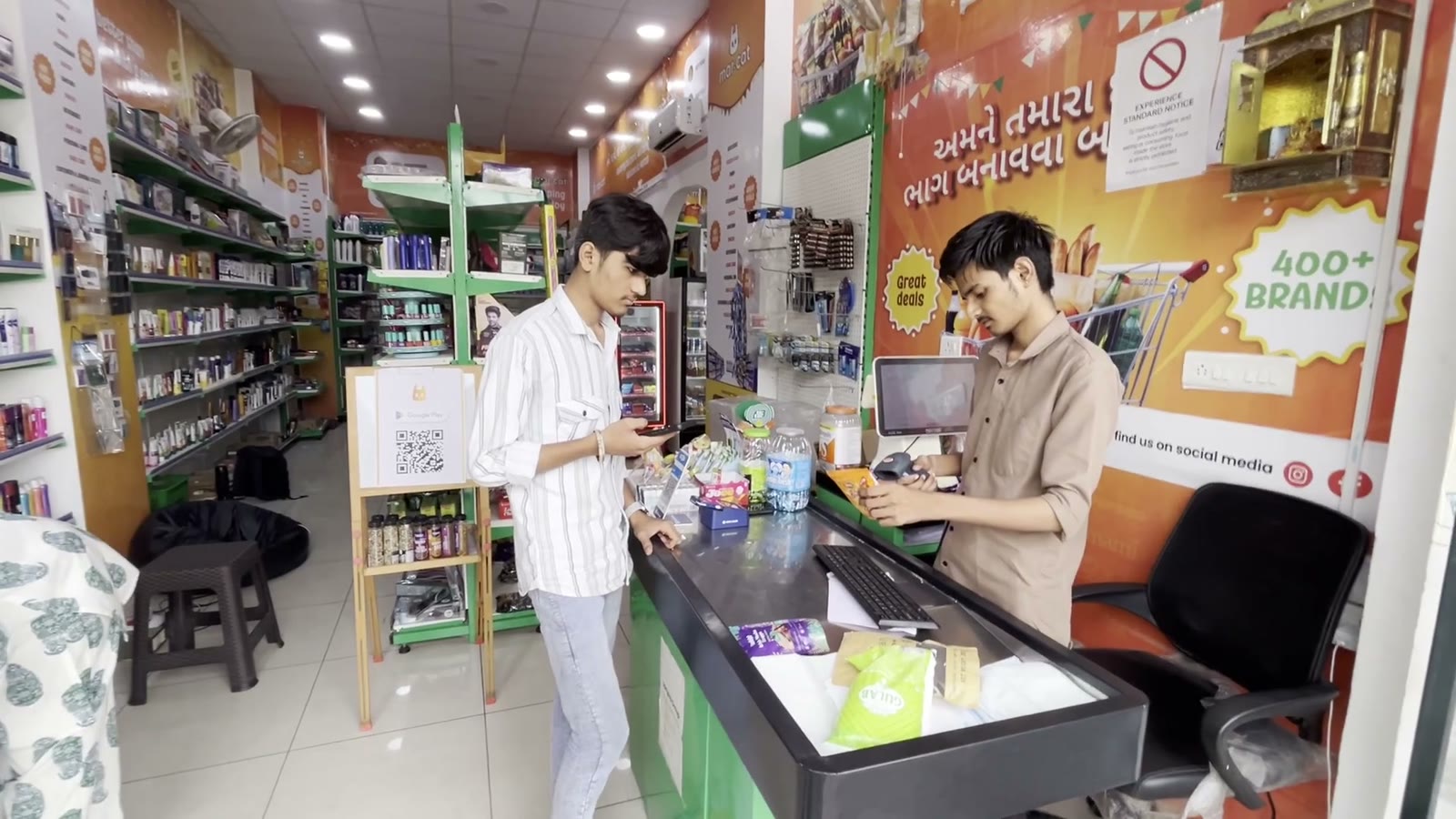
We have run Banjara, our own supermarket in Ahmedabad, since January 2025, and it has billed on MarCat since April 2026.
Switching is easy
Bring your items and barcodes with you.
We help you move your item list from the software you use today, so you do not have to type your stock in again.
Questions
What supermarket owners ask us.
- What is barcode billing software?
- Software that turns a barcode scan into a bill line: the item, its price and its GST come up the moment the pack is scanned. In a supermarket it also has to handle packs with two MRPs, loose items with no barcode, and labels for items you pack yourself.
- Which barcode scanner do I need for MarCat?
- Most USB scanners type the code like a keyboard; test yours on a few packs from your shelf. A 2D scanner copes better with curved and shiny packs. Hardware is not part of any plan, and we help you check it works.
- What happens when one barcode has two MRPs?
- The scan shows each MRP with its stock and selling price. The cashier picks the one printed on the pack, with the arrow keys and Enter or a number key.
- How do I bill items that have no barcode?
- Loose items like dal or sugar are billed straight from the counter in decimals, like 0.5 kg. For repacked or local items, type a store code in the item list and print a label for the pack.
- Can MarCat make barcodes for my items?
- No. You type the codes in the item list, and MarCat prints labels for items that have one. Use your own store series and never a made-up number starting with 890, which GS1 India gives to brands.
- What label sizes can I print?
- 50 x 30 mm and 50 x 25 mm rolls (2 across), 38 x 25 mm rolls (3 across) or A4 sheets (3 across). Labels show item name, barcode and selling price; 13-digit codes print as EAN-13.
- Does the label show the MRP?
- It shows the selling price. It is a counter label, not the full MRP and packer declaration a pack you fill yourself must carry.
- Can two counters scan and bill at the same time?
- Yes. Every counter bills at once from one item list and one stock.
- Can I bring my items and barcodes from my current software?
- Yes. We bring your items in from the software you use today or from Excel, so you do not type them again. Your data stays yours to export.
- What does barcode billing with MarCat cost?
- Starter ₹7,999 (1 login), Growth ₹9,999 (3 logins) or Pro ₹14,999 (5 logins, phone support, in-store setup), + GST per store per year. Chains get a custom plan. Every plan has every feature. Bill in your store for 14 days before you pay.
More on supermarket software
- Supermarket billing software in Ahmedabad
- Supermarket billing software
- Grocery billing software
- Billing machine for supermarket
- Billing software for mobile
- GST billing software for supermarkets
- Stock and inventory management software
- Billing software with customer khata
- Billing software with batch and expiry tracking